
Not long ago, having an AI suggest the next line of your code felt like a magic trick. Now it feels like table stakes. The real question developers are asking in 2026 isn’t whether to use an AI coding assistant — it’s which one is actually worth your time and money.
Three tools dominate the conversation right now: GitHub Copilot, Cursor, and Claude Code. Each has a passionate user base, a distinct philosophy, and a genuinely different approach to what “AI-assisted development” means. They’re no longer just autocomplete engines — they reason, refactor, write tests, and in some cases, run your terminal commands for you.
In this guide, you’ll get a no-fluff breakdown of how all three perform in 2026, where each one shines, where it stumbles, and which type of developer is best served by each tool. By the end, you’ll have a clear answer for your workflow — not just a list of features.
What Each Tool Actually Is (Quick Orientation)

Before diving into comparisons, it helps to understand what you’re actually dealing with.
GitHub Copilot is the veteran. Launched by GitHub and Microsoft in 2021, it was the first mainstream AI coding assistant and remains deeply embedded in VS Code, JetBrains, and the broader Microsoft ecosystem. Powered by OpenAI models, it has evolved well beyond autocomplete into a chat-based, multi-model experience in 2026.
Cursor is the challenger IDE. It’s not a plugin — it’s a full fork of VS Code built around AI from the ground up. Cursor has gained a massive following among developers who want AI woven into every corner of their editor, from codebase-aware chat to its much-discussed Canvas feature that lets you visually edit and scaffold code.
Claude Code is the newest serious contender. Built by Anthropic and powered by the Claude model family, it’s a command-line-first agentic coding tool. Unlike the others, it lives in your terminal, integrates with your existing editor, and is designed to take on long, multi-step coding tasks autonomously.
GitHub Copilot vs Cursor vs Claude Code: Feature-by-Feature Breakdown
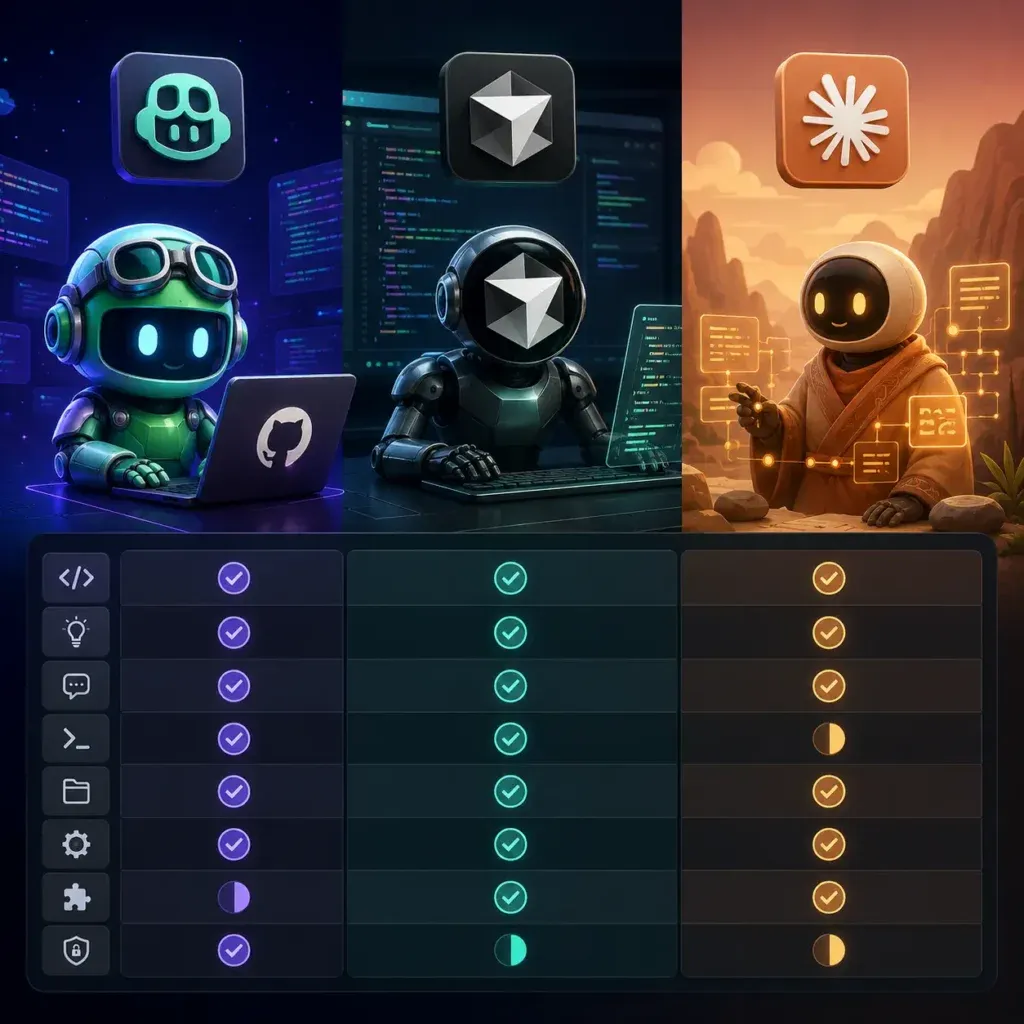
Code Completion and Inline Suggestions
This is where GitHub Copilot still holds an edge for pure, low-latency autocomplete. Its single-line and multi-line suggestions feel snappy, and years of training on GitHub’s enormous code repository means it handles common patterns with impressive accuracy.
Cursor’s inline completion is competitive and benefits from being able to reference your entire codebase as context — something Copilot has been catching up on. If you’re working in a large, opinionated monorepo, Cursor often produces more contextually relevant completions.
Claude Code doesn’t compete here in the traditional sense. It’s not designed for keystroke-by-keystroke suggestions. Instead, it operates more like a highly capable colleague you assign tasks to. You describe what you want done; it figures out how to do it.
For pure inline completion, GitHub Copilot still leads — but only narrowly over Cursor.
Codebase Understanding and Context
This is where the real differentiation lives in 2026.
Cursor’s codebase indexing is one of its most praised features. It builds a semantic index of your entire project and uses that context when answering questions or generating code. Ask it “why is this function slow?” and it doesn’t just look at the highlighted block — it considers how that function is called across the entire codebase.
Claude Code approaches context differently. Because it runs as an agent in your terminal, it can read files, explore directories, run commands, and check outputs before responding. It doesn’t just look at your code — it operates within it. This makes it exceptionally strong for tasks that require multi-file understanding, dependency tracing, or environment-specific reasoning.
GitHub Copilot has improved its workspace context significantly, but it still lags behind both Cursor and Claude Code on deep, project-level reasoning. On codebase context, Cursor and Claude Code share top honors — just for different reasons.
Agentic Capabilities and Autonomous Task Execution
This is the frontier of AI coding in 2026, and it’s where Claude Code stands apart from the pack.
Claude Code is built specifically for agentic workflows. You can hand it a task like “add pagination to the user list endpoint, write tests for it, and make sure nothing in the auth module breaks” — and it will plan, execute, verify, and report back. It can run your test suite, read error outputs, and self-correct along the way. For AI agents and workflow automation, it’s the most capable of the three by a meaningful margin.
Cursor has agentic features — notably its Composer and Agent modes — and they’re genuinely useful. But it still feels more like a very smart assistant than a true autonomous agent. You stay more in the loop, which some developers prefer.
GitHub Copilot’s agent capabilities exist but feel more limited and tightly controlled. That restraint reduces risk of unintended changes, but it also limits what you can delegate. When it comes to agentic tasks, Claude Code wins clearly.
IDE Integration and Developer Experience
If you live in VS Code or JetBrains, GitHub Copilot is essentially invisible in the best way. It slots in without friction. You don’t change how you work — it simply augments what you’re already doing.
Cursor requires you to adopt it as your primary editor, which is a bigger commitment. But most developers who make the switch report they don’t go back. The integration of AI into every panel, command palette, and sidebar is genuinely seamless. The Canvas feature in particular has changed how many developers scaffold new features, turning what used to be a mental exercise into a visual, interactive one.
Claude Code is terminal-first, which means it complements rather than replaces your editor. You can use it alongside VS Code, Neovim, Zed, or whatever you prefer. Developers who are comfortable in the terminal often love this model. Those who prefer a GUI-heavy workflow may find it less intuitive at first.
The honest answer here: GitHub Copilot wins on low friction, Cursor wins on all-in AI experience, and Claude Code wins for terminal-native developers. It comes down to how you already work.
Model Quality and Reasoning
All three tools have upgraded their model backends significantly heading into 2026.
GitHub Copilot now offers model choice, including GPT-4o and Claude models in some configurations. The quality of reasoning has improved substantially, though the experience can vary depending on which model is active at a given time.
Cursor supports multiple models including Claude and GPT-4o, and lets you switch between them freely. Many power users run Claude 3.7 or Claude 4 within Cursor for complex reasoning tasks while defaulting to a faster model for quick completions.
Claude Code runs Anthropic’s latest Claude models natively and is fully optimized for them. The reasoning quality — especially on complex, multi-step problems — is consistently strong. Anthropic’s focus on careful, thorough reasoning shows up clearly in long agentic tasks where the model needs to make real judgment calls rather than just pattern-match. On raw reasoning quality, Claude Code leads, with Cursor as a close second when running Claude models.
Pricing: What Does Each Tool Actually Cost?
Here’s where things get practical, and where the differences matter more than most comparison articles admit.
GitHub Copilot sits around $10 per month for individuals and $19 per month for business users. For teams already inside the GitHub and Microsoft ecosystem, it’s often bundled or discounted, making it the most cost-predictable option of the three.
Cursor’s Pro plan runs around $20 per month and covers most developers’ daily needs without surprise charges. It’s straightforward pricing that’s easy to budget for, whether you’re an individual or managing a small team.
Claude Code’s pricing is the trickiest to evaluate. Because it consumes API tokens for agentic tasks, heavy use can rack up costs faster than a flat subscription. Developers running it autonomously on large, multi-step tasks have reported meaningfully varying monthly costs. It rewards deliberate, targeted use — invoking it for the hard stuff, not as a background process running all day.
For budget predictability, GitHub Copilot and Cursor win. For raw capability per task, Claude Code can deliver more value even at higher cost — depending on what you’re building.
Who Should Use Which Tool?
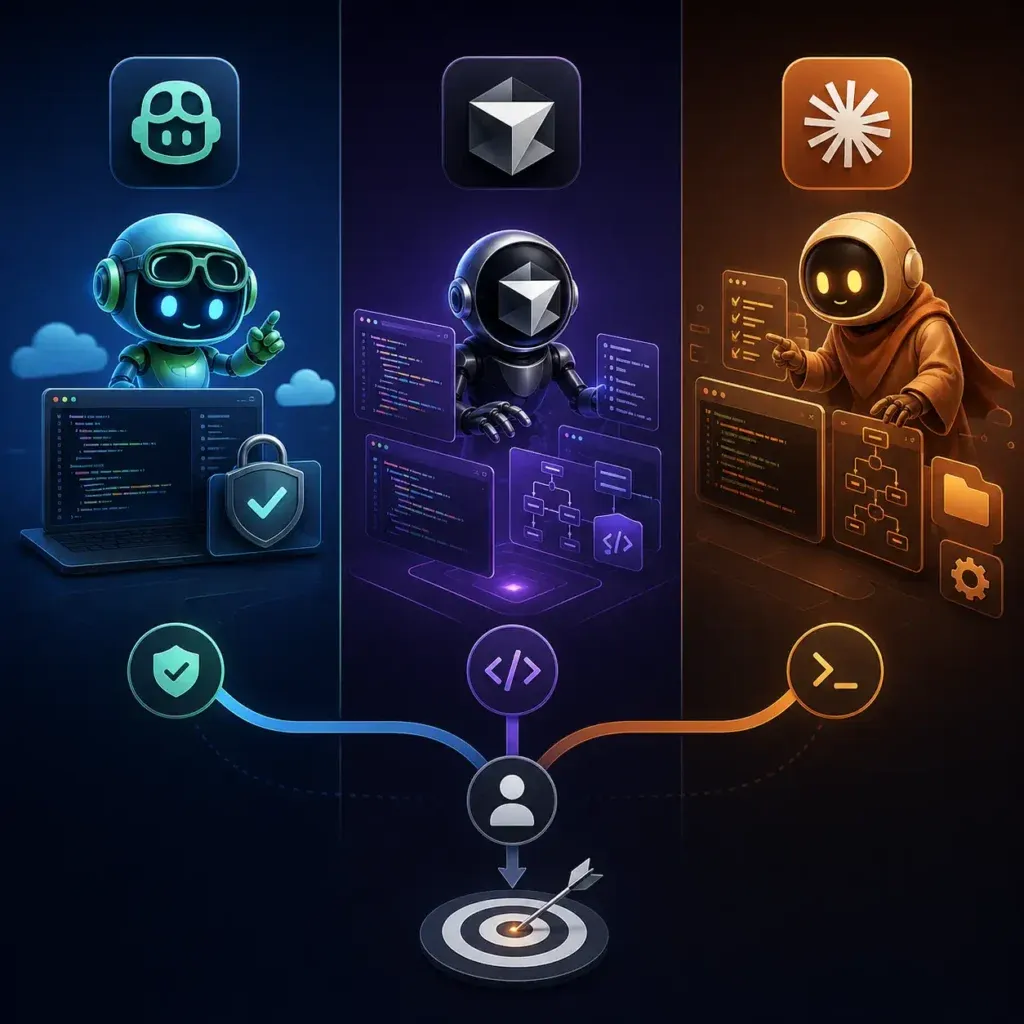
This is the practical question that matters most, and it deserves a direct answer.
Go with GitHub Copilot if you’re in the Microsoft or GitHub ecosystem and want zero-friction AI assistance. It’s the right choice for teams that need consistent, policy-controlled AI access, developers who don’t want to change their editor setup, and anyone who prioritizes reliability and simplicity over cutting-edge features.
Go with Cursor if you want the most deeply integrated AI editor experience available today. It’s built for developers who work on large codebases and need semantic, project-aware suggestions — and for anyone excited about visual code scaffolding tools like Canvas. You have to commit to it as your primary editor, but the payoff is real.
Go with Claude Code if you want a true agentic assistant that can execute multi-step tasks with minimal hand-holding. It’s the right fit for terminal-comfortable developers who don’t want to change editors, teams tackling complex feature work across large codebases, and anyone who needs an AI that can reason carefully rather than just suggest quickly.
If you’re thinking beyond individual tooling and evaluating how AI fits into your broader engineering strategy, it’s worth exploring how to find the right AI development company — because tool selection often reflects team culture and workflow philosophy as much as raw features.
The Pattern Emerging in 2026: Using Two Tools Together
One of the more interesting trends this year is developers combining tools rather than picking just one. The most common pairing is Cursor for daily coding paired with Claude Code for larger autonomous tasks. These tools don’t conflict — Cursor handles your active development environment while Claude Code handles the big, delegated jobs in the terminal.
For teams with diverse workflows, GitHub Copilot sometimes fills a third role as the accessible, always-on assistant for developers who aren’t ready to adopt Cursor full-time. The combination that makes the most sense depends on your team’s comfort with the terminal, the scale of your codebase, and how often you’re taking on genuinely complex, multi-file work.
FAQ: GitHub Copilot vs Cursor vs Claude Code
Q: Which AI coding assistant is best for beginners? GitHub Copilot is the most beginner-friendly of the three. It installs as a plugin, requires no workflow changes, and provides helpful completions without overwhelming new developers with options or requiring terminal comfort.
Q: Is Claude Code worth it for individual developers? Yes, with a caveat. The value depends heavily on the type of work you do. If you regularly tackle complex, multi-step features or need to make sweeping changes across a codebase, Claude Code pays for itself quickly. For lighter daily coding, Cursor or Copilot will likely give you better cost efficiency.
Q: Can you use Cursor and Claude Code together? Absolutely — and many developers do. Cursor handles the day-to-day IDE experience while Claude Code gets invoked via terminal for specific large-scale tasks. The two tools complement each other well without any conflicts.
Q: Which tool is best for large enterprise codebases? Cursor’s semantic indexing handles large codebases impressively. GitHub Copilot Enterprise has purpose-built features for organizational control and compliance. Claude Code’s agentic depth is valuable at enterprise scale but requires more careful governance around what the agent is permitted to execute.
Q: Is GitHub Copilot still relevant in 2026? Very much so. It remains the most widely used AI coding assistant globally, and continued investment from Microsoft has kept it competitive. Multi-model support and improved workspace context have addressed many of the complaints that made Cursor look more attractive in earlier years.
Conclusion: Pick the Tool That Fits Your Workflow, Not the Hype
The GitHub Copilot vs Cursor vs Claude Code debate will keep evolving — all three are shipping major updates on a near-monthly cadence. What matters more than picking the “winner” is picking the one that fits how you actually work.
If you want maximum editor integration, try Cursor. If you want ecosystem fit and simplicity, GitHub Copilot is your answer. If you want an AI that can genuinely execute complex tasks end-to-end with real autonomy, Claude Code is worth the learning curve and the variable cost.
The best move right now? Pick one, use it seriously for two weeks on real work, and let your own productivity be the judge. No benchmark beats actual experience on your actual codebase.
