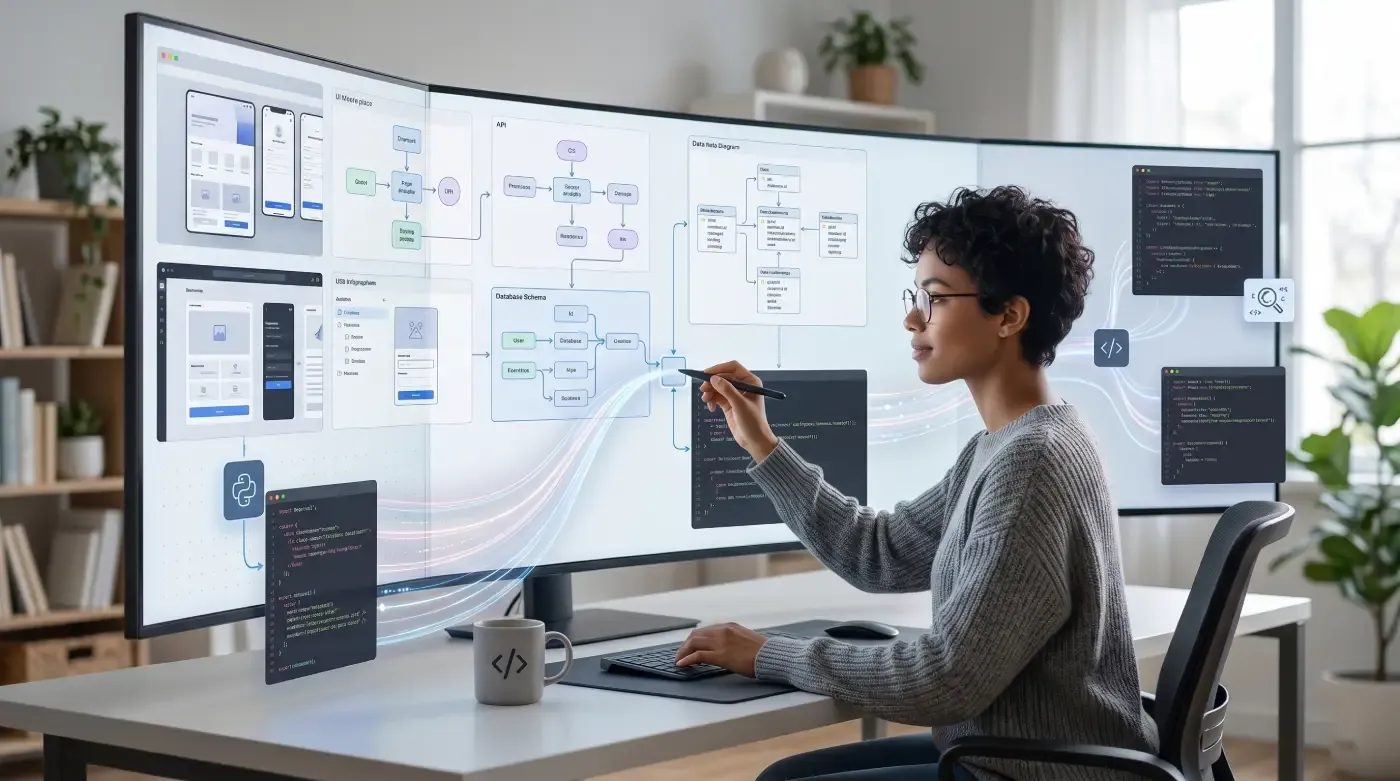
For years, the promise of AI-assisted development was simple: describe what you want, and the AI writes the code. But in practice, developers were still drowning in walls of markdown text, dense log outputs, and flat diff lists that required significant mental effort to parse. The information was there — it just wasn’t usable.
On April 15, 2026, Cursor changed that equation. With the release of Cursor 3.1, the company shipped Canvas — a feature that fundamentally rethinks how AI agents communicate with developers. Instead of outputting text, agents now generate interactive, persistent React interfaces directly inside the IDE’s Agents Window. The shift is subtle in its description but profound in its implications for how teams build, debug, and review software together.
If you’re building software products or managing engineering teams — as we do with clients at ThinkToShare — this is a development you need to understand, not next quarter, but now.
What Is Cursor Canvas, Exactly?
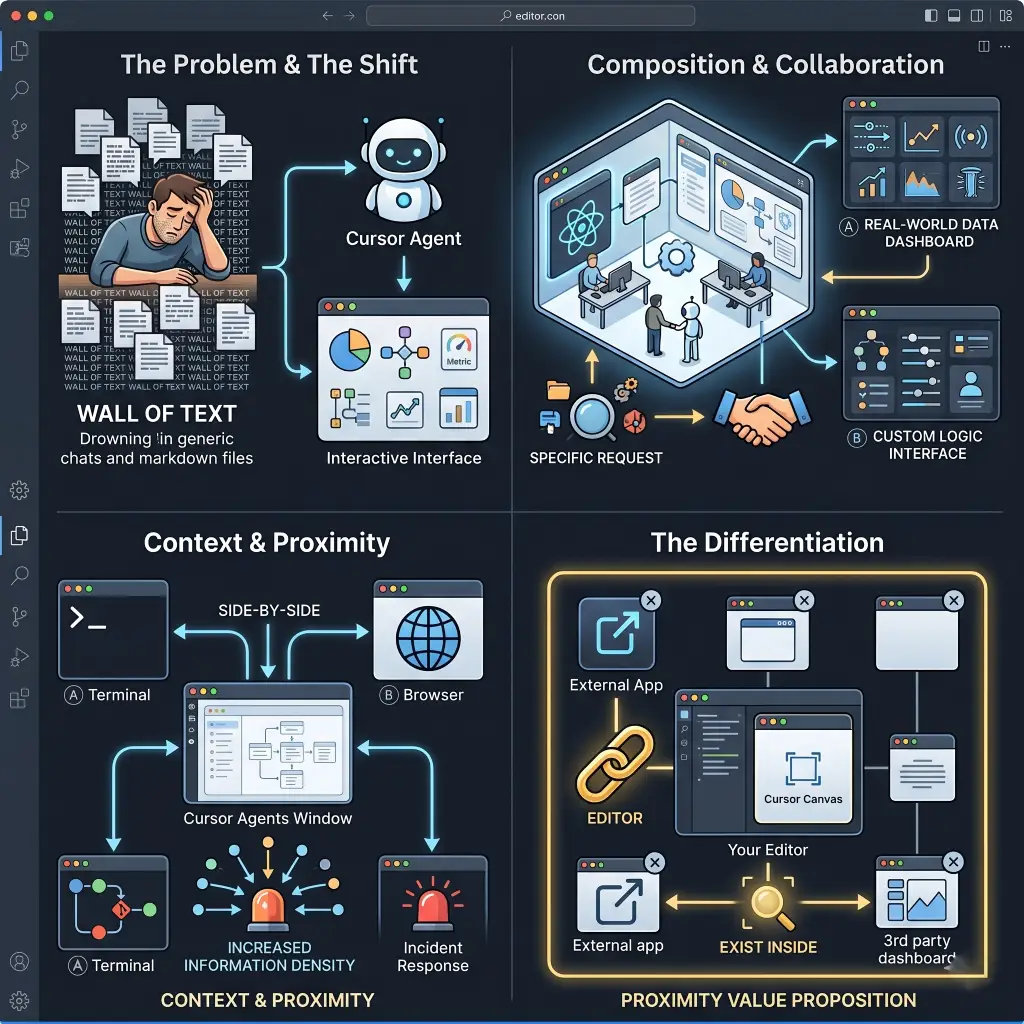
Cursor Canvas allows agents to respond by creating interactive interfaces to visually represent information, letting developers explore and interact with custom interfaces instead of reading walls of text in chats or markdown files that can be hard to digest.
Built into the Agents Window with React-based components, these canvases aim to make human-agent collaboration more visual, durable, and easier to digest. Agents can create dashboards for real-world data as well as custom interfaces with logic and interactivity tailored to your specific request.
The Canvas appears in the Agents Window, sitting side by side with the terminal, browser, and version control — increasing information density while streamlining tasks like incident response.
What makes this different from other “AI visualization” tools is where it lives. Canvas is not a separate app, not a browser tab, and not a third-party dashboard. It exists inside your editor, in the same window where you’re already working. That proximity is the entire value proposition.
The Problem Canvas Was Built to Solve
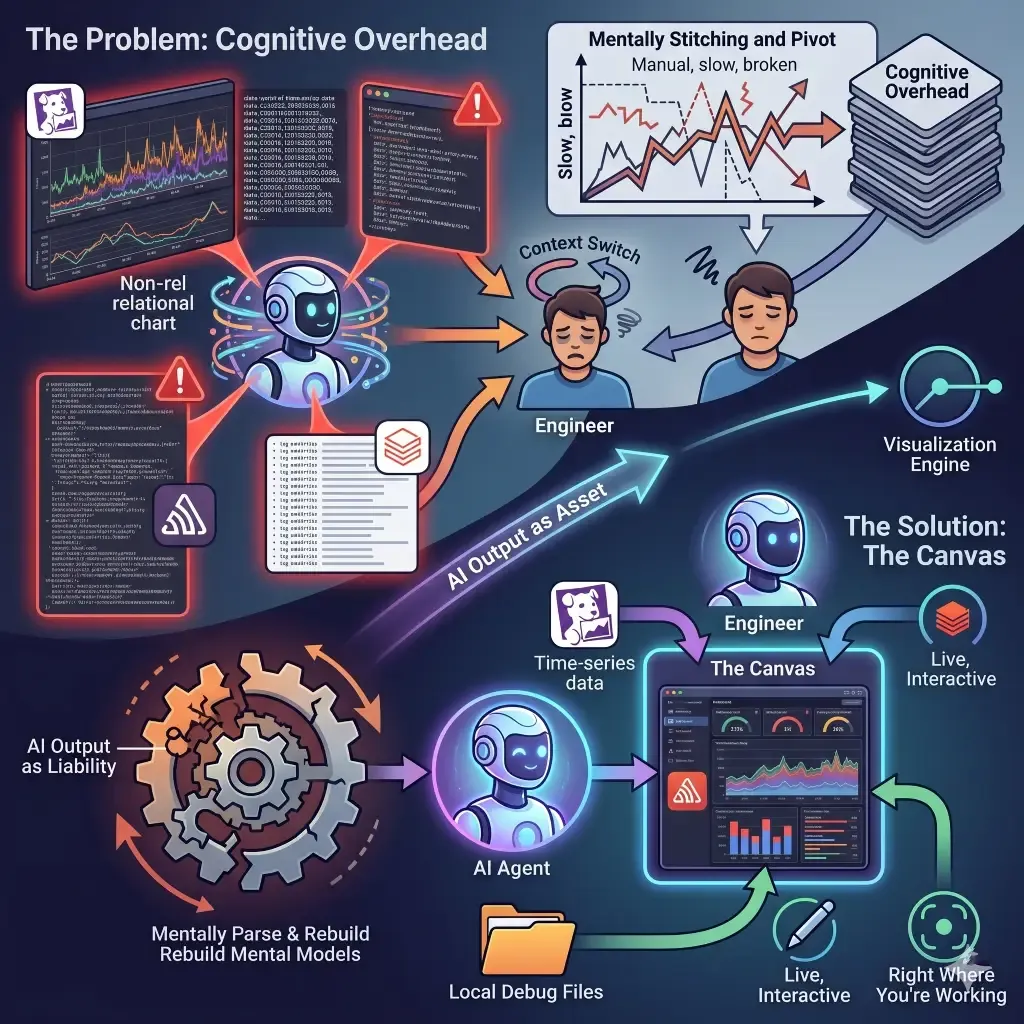
The problem Canvas solves is deceptively simple: AI agents are incredibly good at synthesizing information, but their output format has always been a liability. Dense markdown responses force engineers to manually parse walls of text, rebuild mental models, and switch contexts constantly. For complex tasks like PR reviews, incident triage, or deployment debugging, that cognitive overhead compounds fast.
Think about what happens when an AI agent runs an incident analysis. Before Canvas, you’d get: a markdown table of time-series data from Datadog, a separate paragraph explaining Sentry errors, and a flat list of Databricks log entries. Making sense of it meant mentally stitching together information from three sources in a format that was never designed to be read relationally.
Now, the agent can create visualizations in a canvas that join data from multiple sources, including local debug files, into a single chart. The same operation that used to require an engineer to manually pivot through data now renders as a live, interactive interface — right where you’re working.
How Canvas Works: A Technical Look
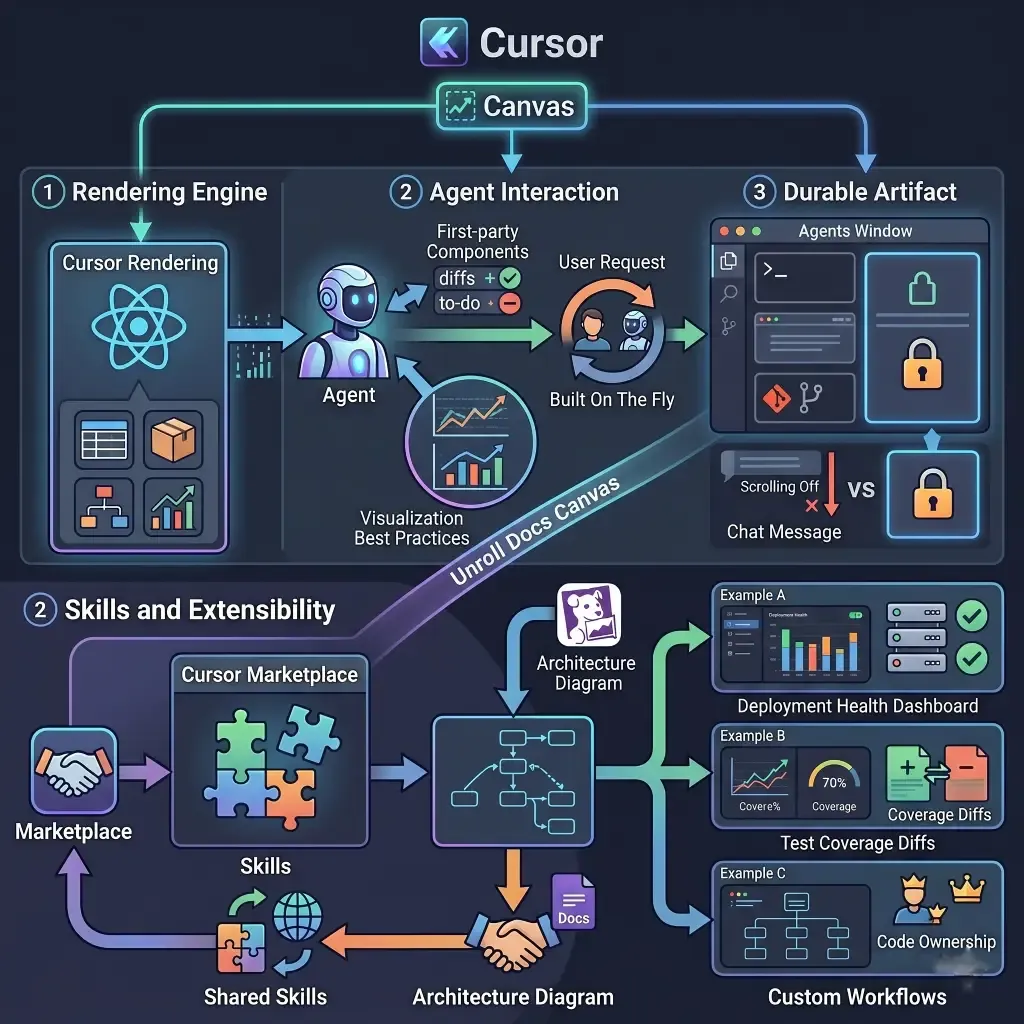
Cursor renders canvases using a React-based UI library with first-party components like tables, boxes, diagrams, and charts. Agents are given access to existing components in Cursor like diffs and to-do lists, and are also instructed to follow data visualization best practices.
Canvases are not static screenshots or pre-generated templates. They are built on the fly by the agent, tailored to your request, and interactive. You can click, filter, and navigate within them.
In the Agents Window, canvases are durable artifacts that live in the side panel alongside the terminal, browser, and source control. “Durable” is the key word here — the canvas persists as you continue working, unlike a chat message that scrolls off the screen.
Skills and Extensibility
One of Canvas’s most powerful aspects is its extensibility through the Cursor Marketplace. You can create Skills to teach agents how to create different kinds of canvases. For example, the Docs Canvas skill allows Cursor to generate an interactive architecture diagram of any code repository.
This means teams can define custom canvas templates for their specific workflows — deployment health dashboards, test coverage diffs, code ownership maps — and share them across the organization as reusable Skills.
Real Use Cases That Show the Shift
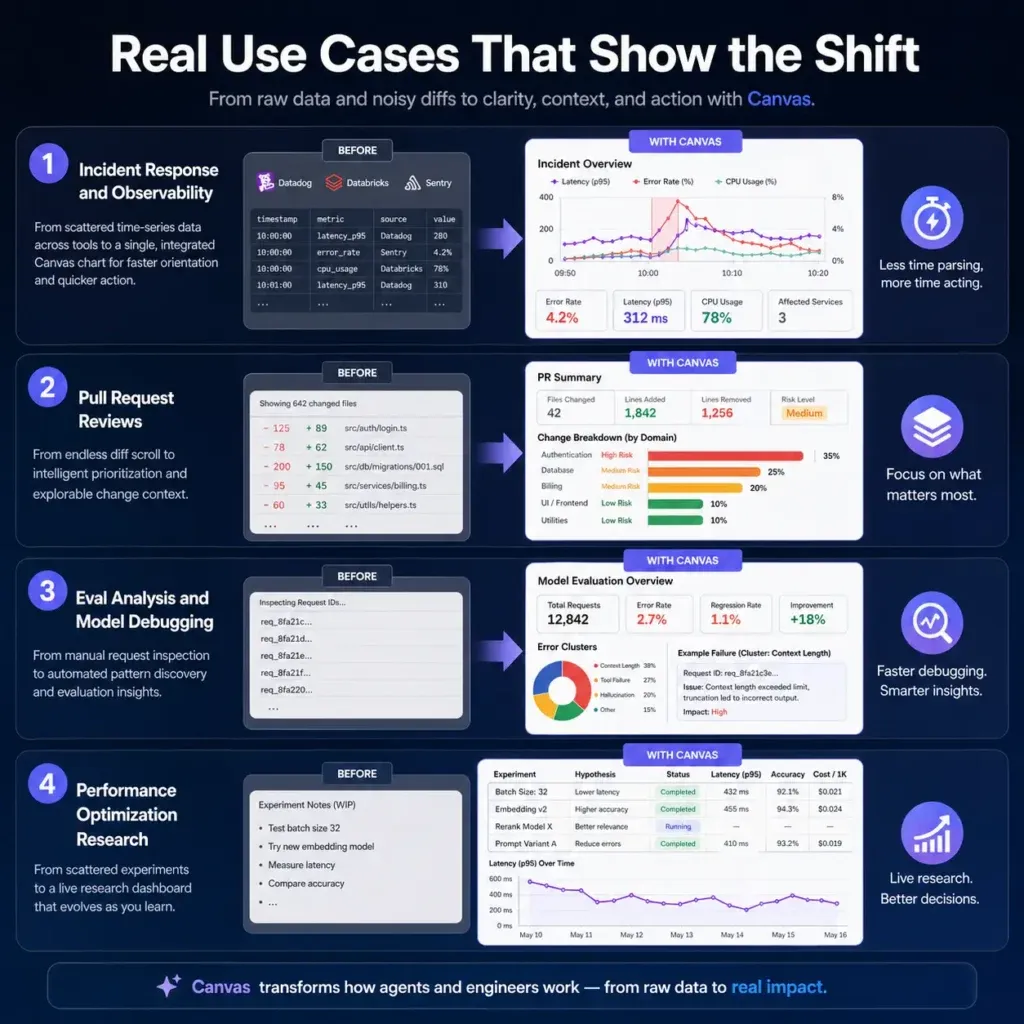
1. Incident Response and Observability
Previously, the agent would compile time-series data from Datadog, Databricks, and Sentry into a markdown table, which was difficult to interpret and required manual visualization. Now, the agent consolidates multi-source data directly into a single Canvas chart.
For on-call engineers, this is a meaningful change in how fast they can orient themselves during an incident. Less time parsing, more time acting.
2. Pull Request Reviews
Large PRs have always been a headache. Reviewers scroll through hundreds of diff lines with no hierarchy — everything presented with equal visual weight, regardless of risk or complexity.
With canvases, Cursor can logically group changes together, prioritize what’s most important for you to review, and present a rich interface for you to explore the change set. It can even write pseudocode representations for tricky algorithms.
This is not just faster — it’s fundamentally different in quality. Agents can now act as intelligent triage layers between raw diffs and human reviewers.
3. Eval Analysis and Model Debugging
Previously, engineers had to inspect request IDs one at a time to identify patterns. The Cursor team considered building and deploying a web app to automate this process, but instead, they operationalized it directly with a skill in Cursor. This workflow significantly reduced troubleshooting time during the team’s last two model deployments.
The fact that Cursor’s own engineering team uses Canvas for their internal model evaluations is a strong signal that this isn’t a demo feature — it’s production-grade.
4. Performance Optimization Research
In performance optimization efforts, agents can visualize their research progress via canvases. This allows users to monitor experiments and understand the hypotheses being tested.
For data-heavy teams running experiments or A/B tests, this means the AI agent can serve as a live research dashboard — continuously updated as it gathers information.
Where Cursor Canvas Stands in the Competitive Landscape
Cursor is not operating in isolation. The AI IDE market in 2026 is the most contested it has ever been, and understanding where Canvas fits relative to competitors is critical before making tooling decisions.
Cursor vs. Windsurf
Windsurf remains a strong competitor on raw agent capabilities, but it hasn’t shipped anything comparable to Canvas’s output layer. If your team is currently on Windsurf and heavily focused on data-heavy workflows like deployments, post-mortems, or large PR reviews, Canvas is a concrete reason to run a structured comparison.
Windsurf’s strength remains its Cascade agent — autonomously executing multi-step tasks with minimal steering. But for teams where understanding what the agent did matters as much as what it produced, Canvas gives Cursor a meaningful edge.
Cursor vs. GitHub Copilot
GitHub Copilot quietly hit 4.7 million paid subscribers and 90% of Fortune 100 adoption. Copilot’s strength is its GitHub ecosystem integration — especially the ability to assign an issue directly to Copilot and receive a completed pull request. But its output format remains text and code, not interactive visual artifacts.
Copilot feels like a fast autocomplete. Cursor feels like a smart collaborator inside your editor. Canvas deepens that distinction considerably.
The Critical Differentiator: IDE Integration
The critical differentiator is IDE integration. Claude’s visual skills and Gemini’s capabilities exist outside your editor, which means context-switching to use them. Cursor’s Canvas lives where your engineers already are.
When an agent is debugging a failing test suite, the Canvas output appears in the same window as the code. That proximity isn’t a minor UX nicety — it’s the design thesis.
What This Means for Developer Teams in 2026
The Human-Agent Collaboration Model Is Maturing
85% of developers now regularly use AI tools for coding and development. Nearly nine out of ten developers save at least an hour every week, and one in five saves eight hours or more.
But saving time on code generation is the first wave. The second wave — which Canvas represents — is about improving the quality of collaboration between humans and agents. It’s not just about making the agent faster; it’s about making its output more intelligible, actionable, and trustworthy.
Teams That Adopt Early Build Durable Advantages
The teams that move quickly to pilot Canvas on high-stakes workflows, instrument the time savings, and start building domain-specific Marketplace Skills will have a durable process advantage over teams that wait for the feature to mature. In a competitive hiring environment where the best AI-native engineers are evaluating your toolchain before they accept an offer, being the team that runs cutting-edge tooling isn’t just a productivity play — it’s a recruiting signal.
This is particularly relevant for software development shops and tech consultancies: your toolchain communicates something about your engineering culture. Teams that ship Canvas-powered workflows communicate that they take human-AI collaboration seriously as a craft.
The IDE as a Platform
The IDE as a platform has been a persistent thesis in developer tooling. With Canvas, Cursor is making the most serious argument yet that the thesis is right.
What we’re watching is the IDE evolve from a place where you write code to a place where an AI agent works with you, in the same visual environment, with output you can actually interact with. That is a different category of tool than what existed 18 months ago.
Adoption Strategy: How to Get Started with Canvas
If you’re considering piloting Canvas with your engineering team, here is a practical starting point:
Week 1-2: Identify your highest-friction workflow. The strongest candidates are incident response, large PR reviews, and deployment debugging — tasks where information volume is high and current output formats (markdown, flat text) are genuinely painful.
Week 3-4: Run a 30-day pilot. Target a 20-30% reduction in troubleshooting time on deployment-related incidents, which aligns with what Cursor’s own team reported. If you hit that number, you have the business case to expand the rollout.
90 days: Build a custom Skill. A Canvas Skill that auto-generates a deployment health dashboard from your internal observability data, or a PR review visualization that surfaces coverage deltas, is a force multiplier that compounds over time.
Canvas and the Broader Trajectory of AI-Native Development
Canvas doesn’t exist in isolation. It sits alongside a series of Cursor releases in early 2026 — including Design Mode, upgraded voice input, Composer 2, and the new multi-repo agent capabilities — that collectively signal a coherent vision: remove friction in human-agent collaboration and make it easier to express your intent beyond plain text.
The direction is clear. AI agents are becoming persistent collaborators, not just query-and-response tools. And the interface through which that collaboration happens — how agents show their work, how developers review and direct it — is becoming as important as the underlying model quality.
For development teams and software companies, the practical implication is this: the gap between teams using AI tools and teams collaborating effectively with AI agents is widening. Canvas is one of the clearest expressions of what effective collaboration looks like in 2026.
Cursor Canvas is not a flashy gimmick. It is a thoughtful solution to a real problem that every developer who has used an AI coding agent has felt: the output format was never designed for the complexity of what agents were being asked to do.
By giving agents the ability to build interactive, persistent, durable visual artifacts — right inside the IDE, alongside the terminal and version control — Cursor has raised the ceiling on what human-AI collaboration in software development can look like.
If you’re evaluating AI development tools for your team, or thinking through how to implement AI-native workflows in your software projects, we help engineering teams and product companies navigate exactly these decisions at ThinkToShare. Whether it’s custom software development, AI and machine learning integration, or building scalable cloud-native architectures, the underlying question is the same: how do you get the most from AI without losing visibility and control?
