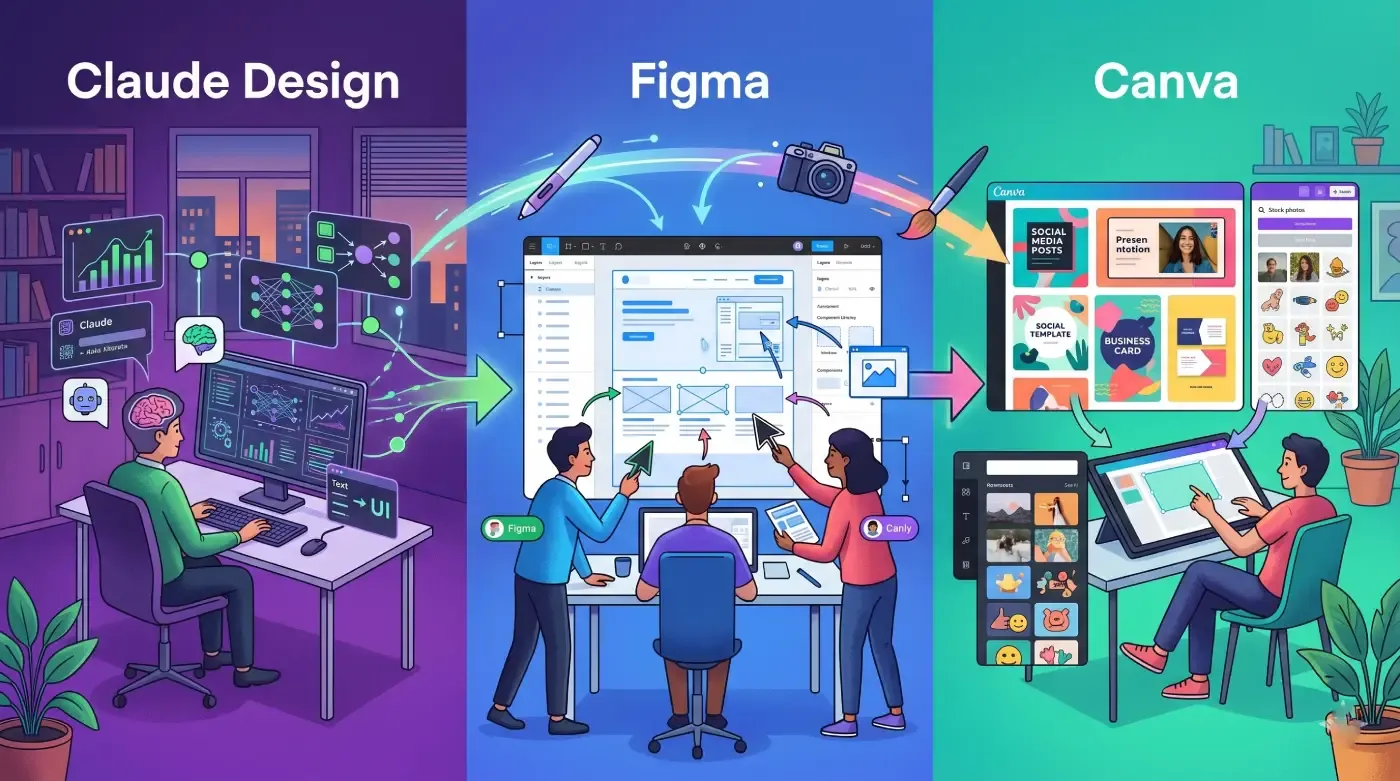
The week of April 16, 2026 was one of the most consequential in the history of design software. On the same day — April 16 — Anthropic launched Claude Opus 4.7 and Claude Design entered research preview. Canva unveiled Canva AI 2.0 at its flagship Create event in Los Angeles, declaring itself no longer “a design platform with AI tools” but “an AI platform with design tools.” Figma, already under pressure, watched its stock dip as Anthropic’s chief product officer resigned from Figma’s board the day before Claude Design’s announcement — a move that publicly ended any pretence of complementarity between the two companies.
For businesses trying to make sense of their design tool strategy right now, the timing is both exciting and genuinely confusing. Three tools are all making serious AI claims simultaneously. All three have different origins, different strengths, and different ideal users. And if you pick the wrong one for your team — or try to run all three without a strategy — you will waste both budget and the time your team spends learning a tool that does not actually fit the work they do.
This comparison cuts through the launch-week hype to give you a clear, practical answer: what each tool actually does, who it is genuinely built for, what it costs, and which one your business should choose based on the work that actually needs to get done.
What Each Tool Is, in Plain Terms
Before getting into side-by-side comparison, it is worth being precise about what each tool is and is not, because the marketing language around all three is deliberately overlapping right now.
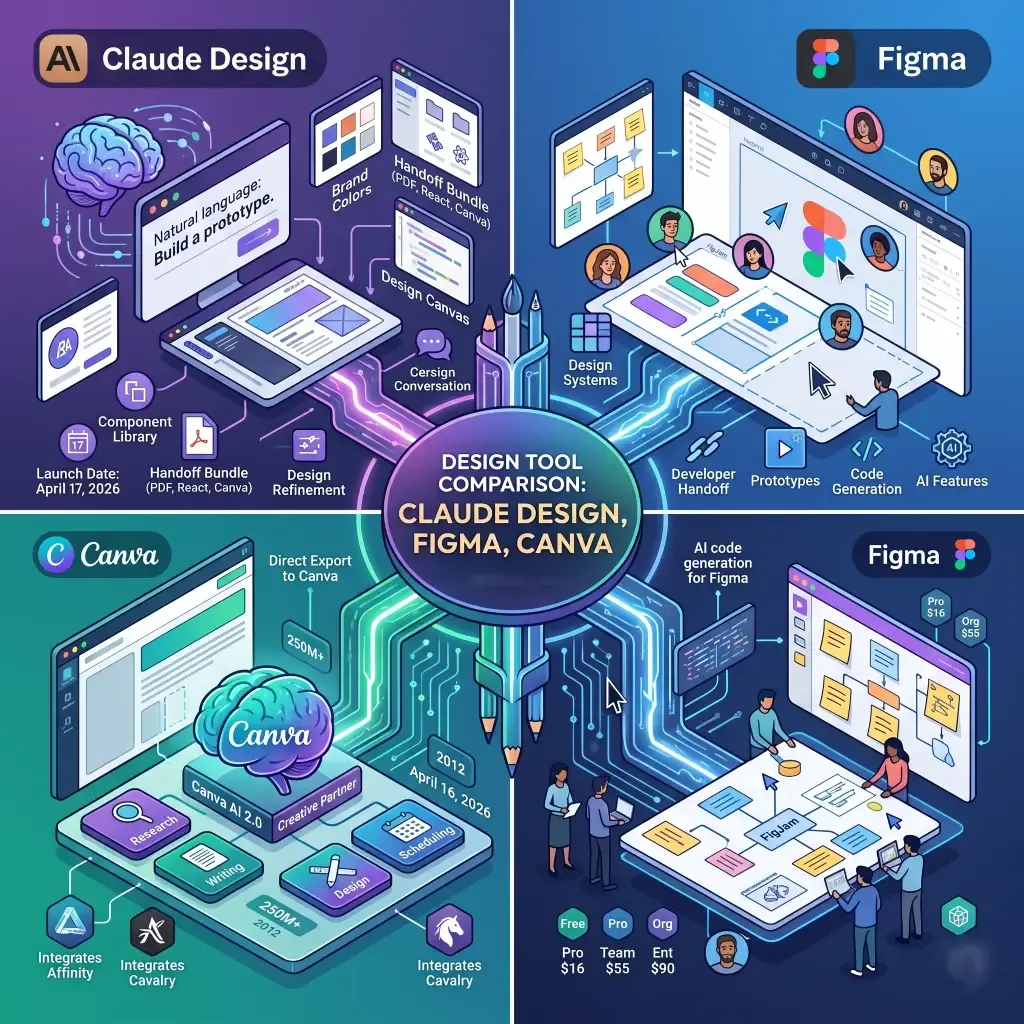
Claude Design launched on April 17, 2026 as a product of Anthropic Labs — the company’s experimental product division. It is powered by Claude Opus 4.7, Anthropic’s most capable vision model. The core workflow is conversational: you describe what you need in natural language, and Claude generates a design — a prototype, a slide deck, a landing page mockup, a one-pager, marketing collateral — directly on a canvas. You refine it through further conversation, inline comments on specific elements, direct text editing, and custom adjustment sliders that Claude generates to let you tune spacing, colour, and layout. During team onboarding, Claude Design reads your codebase and existing design files and builds a design system — your brand colours, typography, and components — that it then applies automatically to every subsequent project. When a design is ready to build, it packages everything into a handoff bundle that can be passed directly to Claude Code to generate production-ready HTML, CSS, or React. Export options include PDF, PPTX, standalone HTML, internal shareable URL, and direct export to Canva. It is currently available in research preview to Claude Pro, Max, Team, and Enterprise subscribers.
Figma is the established industry standard for professional UI and UX design, built around a collaborative canvas where multiple designers can work simultaneously on the same file. It is where design systems are built, maintained, and scaled. It has robust prototyping, component libraries, developer handoff via Dev Mode, FigJam for whiteboarding, and an expanding set of AI features including AI-assisted prototyping, auto-layout suggestions, background removal, layer renaming, and AI code generation for developers accessing design context. It is a deeply professional tool with a learning curve to match, and it sits firmly in the UI and product design lane. As of April 2026, Figma pricing runs from free for individual users to $16 per full seat per month on the Professional plan (billed annually), $55 on Organization, and $90 on Enterprise. Developer seats are available separately at $12 to $35 per month, and Collab seats for stakeholders start at $3 per month.
Canva is the dominant design platform for non-designers, built on the idea that anyone should be able to produce polished visual content without design training. Starting in 2012 as a drag-and-drop template tool, it now serves over 250 million monthly users. With the April 16 launch of Canva AI 2.0, the company made its most aggressive repositioning yet — from “design tool with AI features” to full AI platform with agentic capabilities across its entire creative suite. Canva AI 2.0 is described as a “built-in creative partner that works alongside you in the editor from first idea to final design” — handling research, writing, design, and scheduling through conversation. The platform now integrates Affinity (acquired in 2024) for professional vector and photo editing and Cavalry for procedural motion design. Pricing in 2026 runs from Free (genuinely capable for casual use) to Pro at $15 per month or $120 per year, Teams at $10 per user per month with a three-user minimum, and Enterprise at custom pricing typically starting around $30 per user per month at scale.
Where Claude Design Is Genuinely Ahead
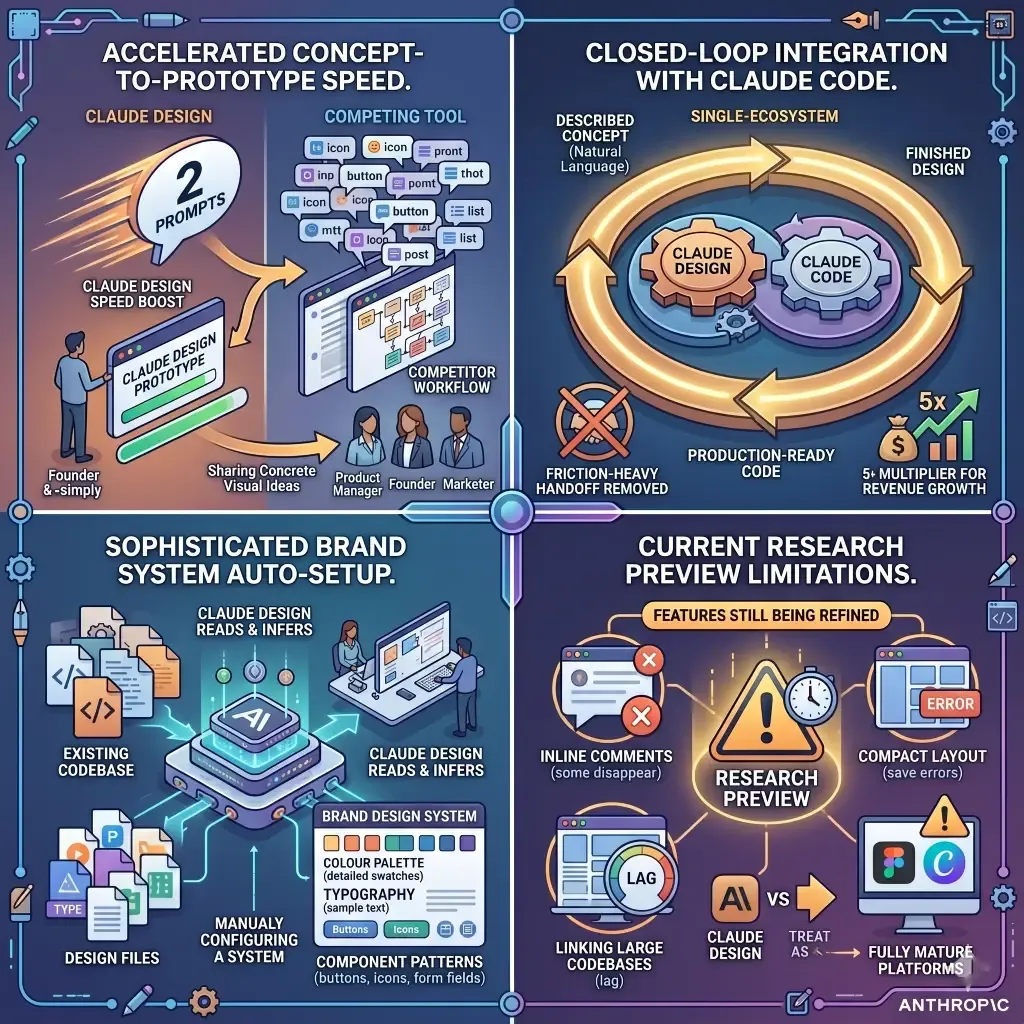
Claude Design’s most significant advantage is in the speed of concept-to-prototype for people without a design background. Anthropic cites Brilliant, the education technology company, as an early proof point: their senior product designer reported that the most complex pages required twenty or more prompts to recreate in competing tools but needed only two in Claude Design. That kind of efficiency gain is not cosmetic — it changes how quickly a product manager, founder, or marketer can share a concrete visual idea with a team or a client.
The closed-loop integration with Claude Code is also genuinely differentiated. No other tool in this comparison offers the ability to go from a described concept to a finished design to production-ready code within a single ecosystem, using natural language throughout. For technical teams already using Claude Code — which Anthropic has described as growing at over five times its original revenue rate — this is a workflow accelerator that removes the most friction-heavy handoff in the entire development process.
The automatic brand system setup during onboarding is also more sophisticated than it sounds. Rather than requiring a designer to manually configure a design system, Claude Design reads your existing codebase and design files and builds it for you — inferring colour palettes, typography, and component patterns from what your brand already uses. This is particularly valuable for companies that have a product or website but no formal design system documented anywhere.
The limitation to be clear-eyed about: Claude Design is in research preview. Features are still being refined, the help documentation itself notes that inline comments occasionally disappear before Claude reads them, compact layout mode can trigger save errors, and linking very large codebases may cause lag. It is powerful and impressive, but it is not production-stable in the same way Figma or Canva are. Businesses adopting it now should treat it as a powerful early tool, not a fully mature platform.
Where Figma Remains Irreplaceable
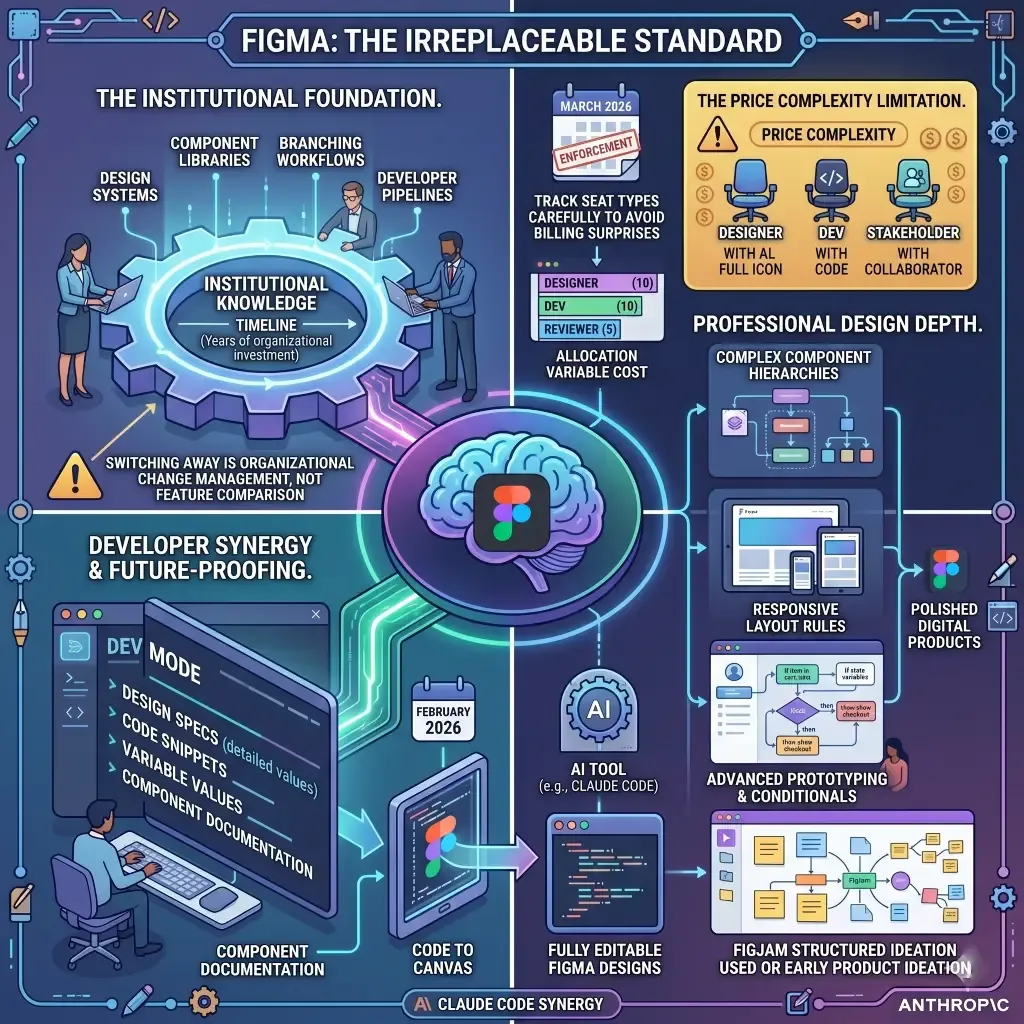
Figma holds one advantage no launch announcement can immediately eliminate: it is the tool that professional designers and product teams have spent years building institutional knowledge around. Design systems, component libraries, version histories, branching workflows, developer handoff pipelines — these represent years of organisational investment for most companies using Figma at scale. Switching away from Figma is not a feature comparison exercise; it is an organisational change management project.
Beyond inertia, Figma’s capabilities in the areas it was designed for remain genuinely ahead of what either Claude Design or Canva can match. Complex component hierarchies, responsive layout rules, variable systems, auto-layout, advanced prototyping with conditional interactions, FigJam for structured ideation — these are professional design features at the depth that design teams need for shipping polished digital products.
Figma’s integration with development workflows via Dev Mode gives developers structured access to design specifications, code snippets, variable values, and component documentation — the kind of detailed spec access that keeps engineers from guessing at implementation details. And the February 2026 launch of “Code to Canvas” — which converts code generated in AI tools including Claude Code into fully editable Figma designs — means Figma is actively competing in the AI-assisted design space rather than ignoring it.
The limitation worth acknowledging is price complexity. Figma’s seat model — Full seats, Dev seats, Collab seats, separate AI credit packs after March 2026 enforcement kicked in — creates real administrative overhead and can produce billing surprises at scale. A growing team needs to track seat types carefully, or costs accumulate quickly and unpredictably. For a twenty-five person team mixing designers, developers, and stakeholder reviewers, fully loaded Figma costs can range widely depending on how seats are allocated — understanding the structure before committing matters significantly.
Where Canva Has a Genuine Edge
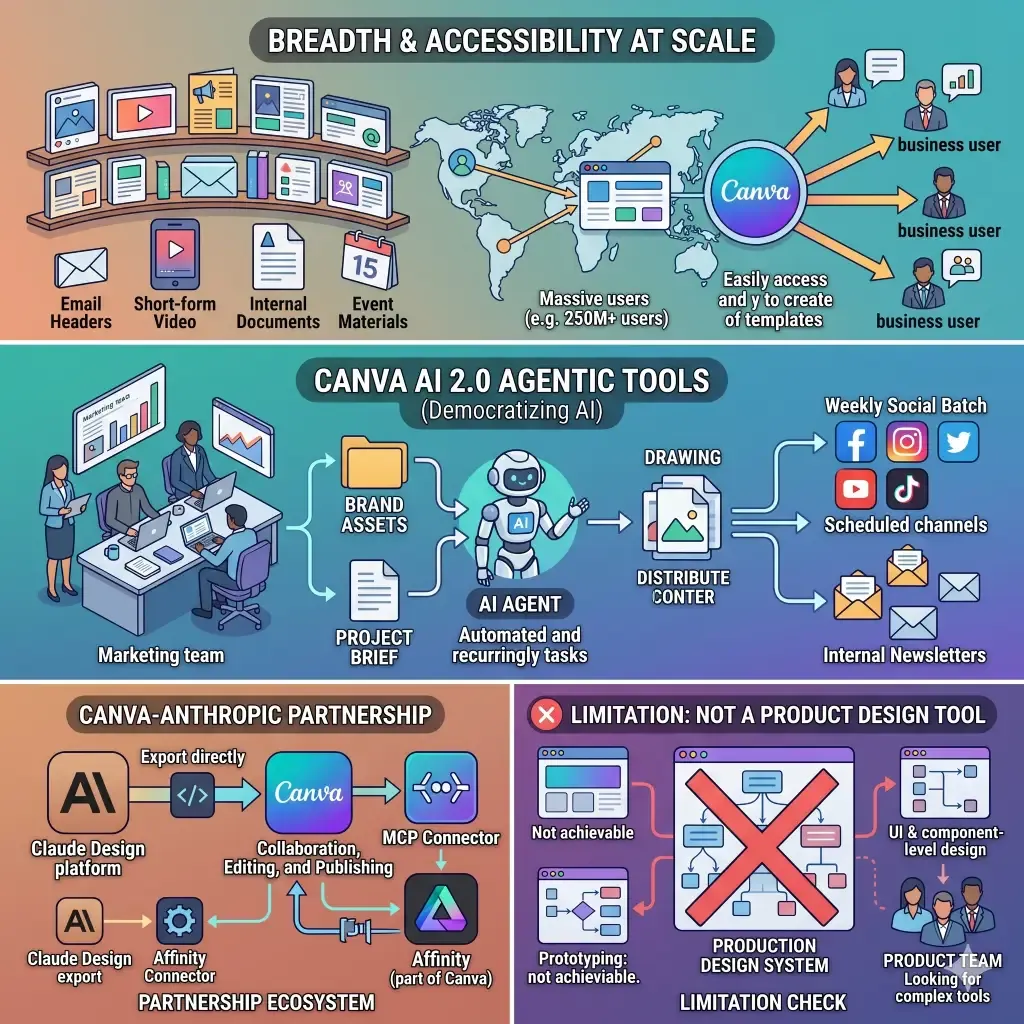
Canva’s edge is breadth and accessibility at scale. A quarter billion monthly users is not an accident — it reflects how many businesses have found that a well-designed template library plus an approachable interface solves most of their day-to-day visual content needs. Social posts, presentations, marketing flyers, email headers, short-form video, internal documents, event materials — Canva handles all of these across a single workspace with minimal training required.
Canva AI 2.0’s most practically useful new capabilities are the agentic tools that automate recurring creative tasks. A marketing team can set a recurring social content batch to run weekly, drawing on brand assets and pulling from a brief, without a designer touching each piece. A communications team can schedule internal newsletters with AI-drafted content. Canva explicitly positioned this as “democratising” AI power for everyday business users rather than enterprise tech teams with dedicated AI infrastructure budgets.
The Canva-Anthropic partnership is also noteworthy in context. Claude Design exports directly to Canva for further collaboration, editing, and publishing. Canva AI 2.0 accepts HTML imports from Claude and other AI tools. An MCP connector for Affinity (now part of Canva) launched alongside these announcements. The relationship between the two companies is genuine and intentional — which means for many businesses, the question is not Claude Design versus Canva but how to use both together.
The limitation of Canva for professional product and UI design work is fundamental: it was not built for it, and adding AI does not change the underlying architecture. You cannot build a production design system in Canva. You cannot do the kind of component-level design and prototyping that a product team shipping a digital product needs. Canva excels at content creation volume. It is not a product design tool.
Decision Framework: Which Tool Fits Which Business Type
The right answer depends entirely on what kind of design work your business actually needs to get done.
If you are a founder, product manager, or small team where no one has deep design skills and your primary need is to go from an idea to something presentable — a prototype to share with investors, a landing page mockup to test with customers, a pitch deck for a board meeting — Claude Design is the most efficient tool for this use case right now. The conversational workflow removes the learning curve that makes Figma inaccessible to non-designers, and the Claude Code handoff means you are not stuck with a static mockup. The research preview status is worth knowing, but for low-stakes internal work and early-stage exploration, that is an acceptable trade-off.
If you are a product or software company with a dedicated design team shipping a digital product — web app, mobile app, SaaS platform — Figma is still the industry standard and for good reason. The depth of its design system capabilities, developer handoff precision, and organisational investment your team has already made are not easily replicated by a newer tool. Watch Claude Design as it matures out of research preview, and consider whether the Claude Code integration changes the calculus for your specific handoff workflow, but do not disrupt a functioning professional design infrastructure on the strength of a launch announcement.
If you are a marketing team, content team, agency, or any business where the primary design need is high-volume branded content for social, presentations, email, and marketing materials — Canva remains the most practical choice, and Canva AI 2.0’s agentic features make it meaningfully more powerful than it was twelve months ago. The accessibility of the platform for non-designers, the breadth of the template library, and the new AI tools for recurring creative tasks are well-matched to what a marketing team actually spends most of its design time doing.
If you are a growing business that needs both product design and marketing content — a software startup, for example, with a product team and a marketing team — the most realistic answer is Figma for the product team and Canva for the marketing team, with Claude Design used as a rapid exploration tool by whoever needs to sketch and validate ideas quickly without pulling in design resources. These tools are not mutually exclusive, and the Canva-Anthropic partnership is explicitly built around making them interoperable.
For any business evaluating how AI design tools fit into a broader digital transformation strategy or product development roadmap, the tool choice matters less than having a clear workflow. The fastest-moving companies right now are not picking one tool and ignoring the others — they are building lightweight workflows that use each tool where it actually excels.
Pricing Comparison at a Glance
Rather than obscuring the numbers, here is an honest summary of what each tool costs for a typical growing business.
Claude Design is currently included in existing Claude subscriptions. Claude Pro costs $20 per month. Claude Max starts at $100 per month. Claude Team costs $25 per user per month with a five-user minimum. Claude Enterprise pricing is negotiated. If your team is already paying for Claude for writing, coding assistance, or research tasks, Claude Design adds zero marginal cost at current pricing — which makes the evaluation straightforward.
Figma’s most common plan for small-to-medium professional teams is the Professional plan at $16 per full seat per month billed annually, or $20 per month billed monthly. Developer seats are available at $12 per month annually. The free Starter plan is genuinely capable for individual designers with limited project counts. Organisation and Enterprise tiers run $55 and $90 per full seat monthly respectively, annual-only, and include SSO, advanced design systems, and enterprise security controls. AI credits are now an additional consideration for heavy AI users, with credit packs available separately.
Canva’s most useful paid entry point for individuals and freelancers is the Pro plan at $120 per year billed annually, or $15 per month. The Teams plan is $10 per user per month with a three-user minimum. Enterprise pricing is custom. For nonprofits and qualifying K-12 educational organisations, Canva is free at the Pro and Teams level respectively — an important consideration for those sectors.
The Integration Picture
One of the most important things this comparison has to acknowledge is that the most interesting design workflow of 2026 is not a choice between these three tools — it is how they work together.
Anthropic and Canva have built a genuine integration: Claude Design exports directly to Canva for editing and publishing. Canva AI 2.0 accepts Claude-generated HTML imports. Canva’s Affinity integration now has an MCP connector to Claude on the desktop. Claude Code and Figma have their own connection through Figma’s Code to Canvas feature. For a technical team, a prompt in Claude can become a Claude Design prototype, exported to Canva for marketing polish, with the production code generated by Claude Code — all within a connected workflow that did not exist six months ago.
This means the right framing for a business evaluating these tools is not “which one” but “for what, and how do they connect?” The answer will look different for a five-person startup, a hundred-person product company, and a five-hundred-person enterprise with separate product, marketing, and engineering functions. Think To Share’s web development and AI integration services help businesses map exactly these kinds of multi-tool decisions to real workflow requirements before committing to stack changes
The week of April 16, 2026 marked a genuine inflection point in AI design tooling. Three serious products, three serious AI investments, all landing within hours of each other. The businesses that will get the most value from this moment are not those who wait for a clear winner to emerge — it will not be one tool — but those who map their actual design workflows to what each tool genuinely does well.
Claude Design is the most exciting new entrant, with a closed-loop workflow from idea to production code that nothing else offers. But it is still in research preview, and organisations should adopt it strategically rather than disruptively. Figma remains the professional standard for product design teams and will not be displaced by a launch announcement. Canva is more powerful than it has ever been and remains the right tool for high-volume branded content — and its partnership with Anthropic makes it more capable, not less relevant, as AI design matures.
For help mapping any of these tools to your business’s specific product development, marketing, or digital transformation needs, Think To Share’s AI integration and web development team works across exactly this kind of technology strategy. Start the conversation here.
